
Simulation · A game by CUBE4DEV
Minimal City
Fifteen real city centres made of blocks, from Bochum to New York: set how many people live and work here, how they get around and how lively the city is – shops, food, clubs, culture, festivals. Underground and suburban trains run below, and the camera rides along. Free in your browser.
- Free
- No installation
- No sign-up
- Desktop · Phone · Tablet
Minimal City
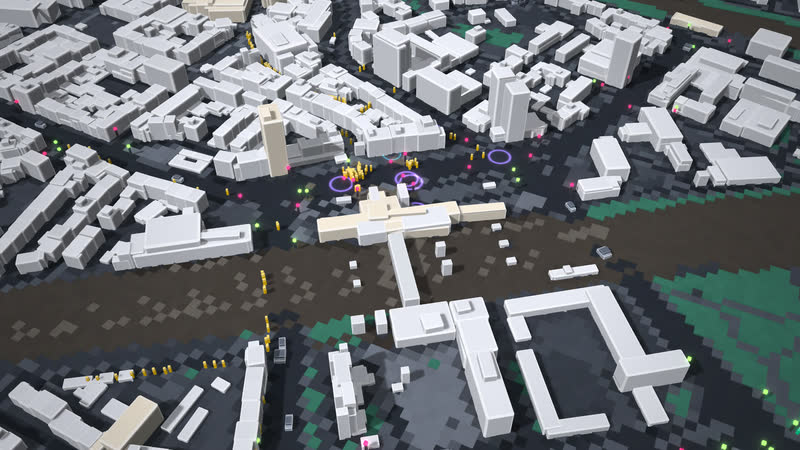
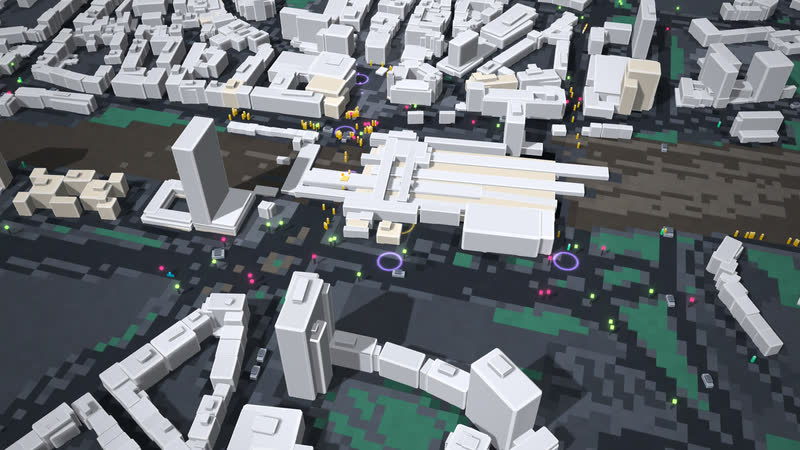
“City in balance”: one hour in the city, trains arrive, cars and people are on the move. You steer the whole city with nine City controls in three groups – “City” with Residents, Jobs and New building, “Traffic” with Switch to bus & rail, Traffic lights and Car-free centre, “Public transport” with Buses, Underground frequency and Suburban rail frequency. Residents and jobs are estimated for each building: raise the residents and pavements and roads fill up while living space per head shrinks; with new building the houses visibly grow by up to two storeys; whoever switches to bus and train frees the roads – but trains only have so much room, and the rest wait on the platform. In the “Life & experience” tab you set Shops, Food & drink, Bars & clubs, Culture, Independent scene and Street festivals, or pick “Deserted”, “Normal” or “Lively” straight away: the venues light up in the city, clubs pulse at night, festivals get stage lights and crowds. Every move takes effect at once: the City index sits large at the top – the average of mobility, liveability and experience –, a line below it names the effect; your goal is to stay above the normal day, the same city without controls. On the right the City pulse (key L) shows in three tabs – Effects, Traffic, Life – what lies behind it. In Analysis six lenses – Density, Jobs, Traffic, Crowding, Liveability, Venues – show where it gets dense, full or cramped; hotspots above the city name the places. In the Layers view the city fades out, and below it underground and suburban trains run on the real tracks; in Berlin, Frankfurt and Munich the tram runs as a system of its own. Tap a train or a bus and the camera rides along; a station shows its departure board. Click into the city to see what is going on – say on Invalidenstraße next to Berlin’s main station (Hauptbahnhof): how many people are waiting, how many cars are stopped, how loud it is; a shop, restaurant or club there can be closed and opened again. The round button on the right or key N switches the time of day – day, evening, night: at night the city lies in moonlight, windows and shops light up, street lamps cast pools of light, cars and buses drive with headlights. And the city plays what it is right now: people as plucked notes – the busier, the denser –, experience as bell tunes, clubs at night as a muffled bass, street festivals with festival bells, stopping trains with an arrival motif; traffic noise drowns this city music out, switching and a car-free centre make it audible again. The round sound button or key M cycles through city music, “Sound: city noises only” and “Sound off”.
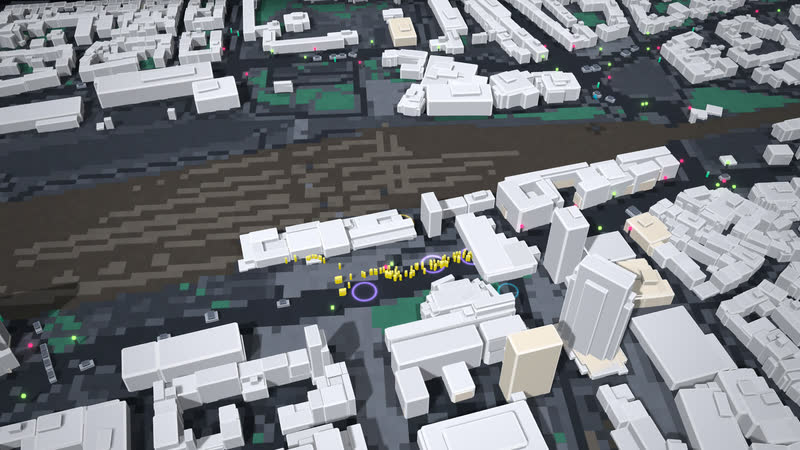
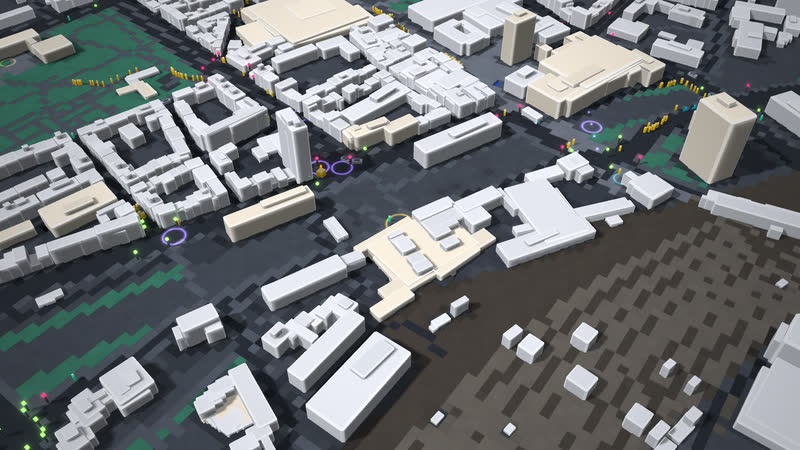
The city centres come from OpenStreetMap: buildings, streets, paths, signals, stops, tracks and stations are real, only simplified – buildings and streets alike as blocks. Lines, frequencies and passengers of the trains are model assumptions. Shops, restaurants, clubs, cultural and leisure venues also come from OSM; residents and jobs per building are estimated from floor area. In the Layers view the utility points come from OSM – hydrants, substations, street cabinets – while the line routes are assumed. Minimal City is a playful city model with simplified traffic assumptions – not a traffic forecast – and a playable preview for interactive city, museum and corporate applications, to be tailored as a web game, a multi-user table or a large projection. The game itself is in German and English. It runs right in your browser: no download, no app, no sign-up.
Trailer
Plays everywhere
-
Desktop
Drag to move, right mouse button to rotate and tilt, wheel to zoom, click a place to see it. All by keyboard too: Tab and arrows for buttons and controls, Enter for the place mid-view, WASD, Q/E, R/F, +/− the camera, T controls, L City pulse, I introduction, V view, Space pause, Esc closes.
-
Phone & tablet
One finger moves, two fingers zoom and rotate, both up or down tilt. Tap a place to see it, a train or bus to ride along. The round button on the right switches day, evening and night. In, out, rotate, tilt: in the dock on a tablet, on the right on a phone, where the controls slide up.
15 cities
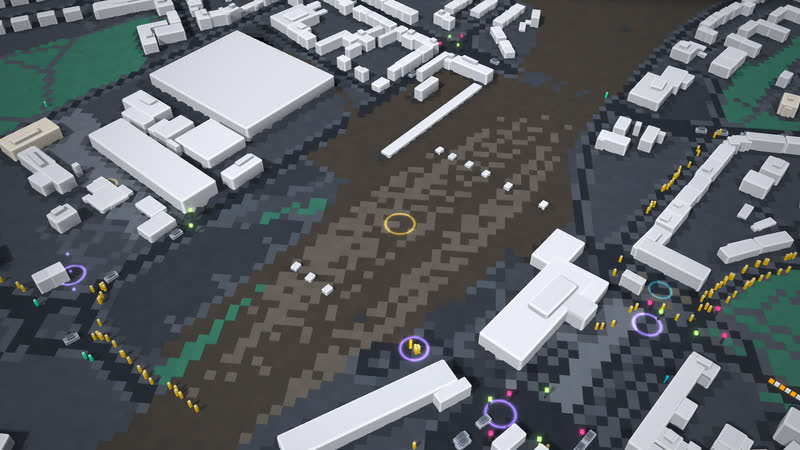
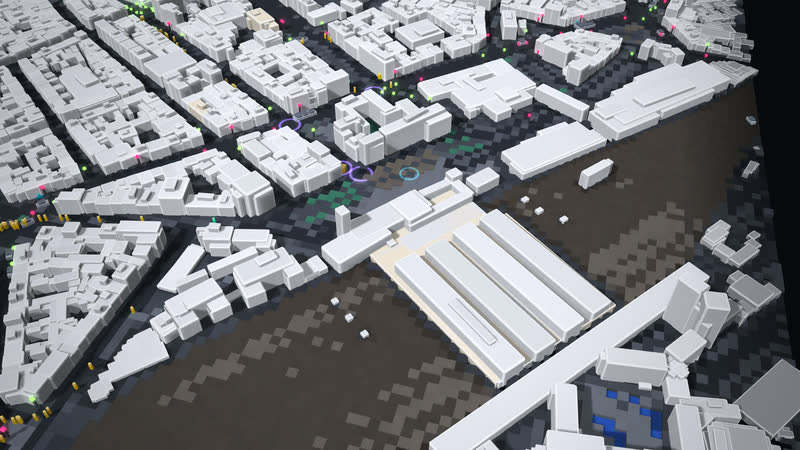
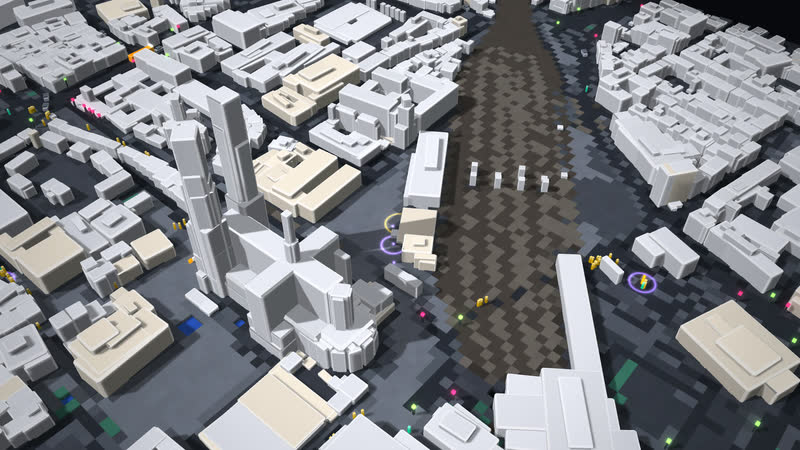
Ruhr and Rhineland: Bochum (two trains, town hall to planetarium), Dortmund (match-day Saturday with fan trains), Essen, Duisburg, Oberhausen, Düsseldorf, Cologne (Köln). Plus Berlin Central Station and Bundestag, Frankfurt, Hamburg, Munich, and abroad Paris, London and New York around Times Square.
-
01 Bochum
-
02 Dortmund
-
03 Essen
-
04 Duisburg
-
05 Oberhausen
-
06 Düsseldorf
-
07 Köln
How to play
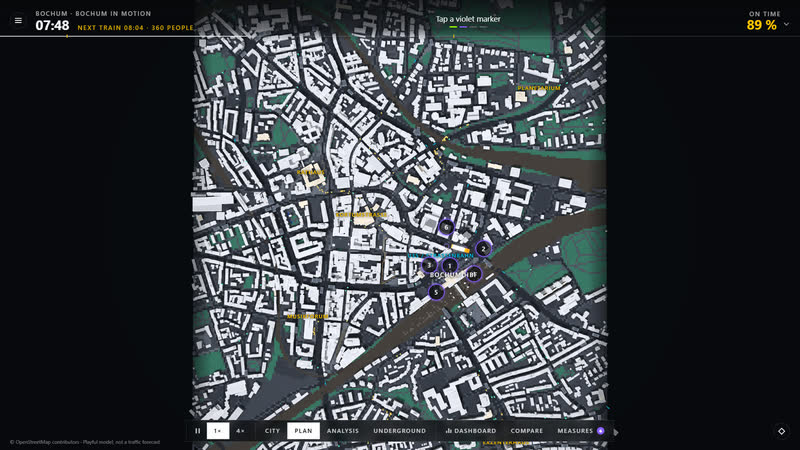
- Mission “City in balance”: keep the City index above “normal” until the hour is up. The top line guides you step by step – move Residents, let drivers switch, turn up the timetable, click into the city. On first start an introduction shows the four areas – 1 City index at the top, 2 controls on the left, 3 information on the right, 4 view at the bottom –, then you move Residents yourself. “Skip” works at any time, “?” or key I shows it again.
- Nine City controls in the “City & traffic” tab. City: Residents and Jobs from 50 to 250 %, New building from “none” to +2 storeys. Traffic: Switch to bus & rail from “none” to 80 % of car trips, Traffic lights from priority for cars through “balanced” to priority for pedestrians, Car-free centre up to 900 m around the middle. Public transport: Buses from “off” to 300 %, Underground frequency – also for light rail and trams – from “off” to every 2 minutes (normally every 6), Suburban rail frequency from “off” to every 3.3 minutes (normally every 10). “All back to normal” resets everything.
- More residents mean more trips, fuller pavements and roads and less living space per head; more jobs bring more commuters by car and train, and the centre fills up. New building adds storeys to residential and mixed buildings and creates living space. Switching to bus & rail frees the roads but needs room on the trains – whoever no longer fits stays on the platform. Trains more often mean shorter waits, more passengers and fewer cars; with suburban rail off nobody arrives by train any more. Short signal cycles with all-way walk help pedestrians, long ones help cars; in the car-free centre cars park outside, buses run, pedestrians cross freely.
- The “Life & experience” tab: Shops, Food & drink and Bars & clubs (“Shopping & going out”), Culture, Independent scene and Street festivals (“Culture & festivals”) – from “all closed” to 200 %, festivals from “none” to three. The presets “Deserted”, “Normal” and “Lively” set all six at once. Venues need guests – residents, workers, visitors; with noise nobody sits outside, clubs make the city worth experiencing but are loud for the neighbours at night, and when shops close more people drive out by car.
- The City pulse on the right (key L or click the index) has three tabs. Effects: the strongest effects compared with a normal day and the city balance – residents, living space per head, jobs, people on the platforms. Traffic: “How people get around”, plus congestion, roads full, waiting time, noise, CO₂, punctuality, trips completed and “Off the trains” as charts – line = now, dashed = a normal day. Life: what the city offers and the eight parts of liveability.
- The City index (0–100) is the average of mobility, liveability and experience. Mobility is made up of congestion, waiting, noise, punctuality, trips completed and space; “Off the trains” does not count. On time means at most three minutes longer than the direct route. At the end the average index counts against a normal day: stars from +3, +7 and +12 points. The results page sets the index and every value of your city against the normal day, including “Off the trains”.
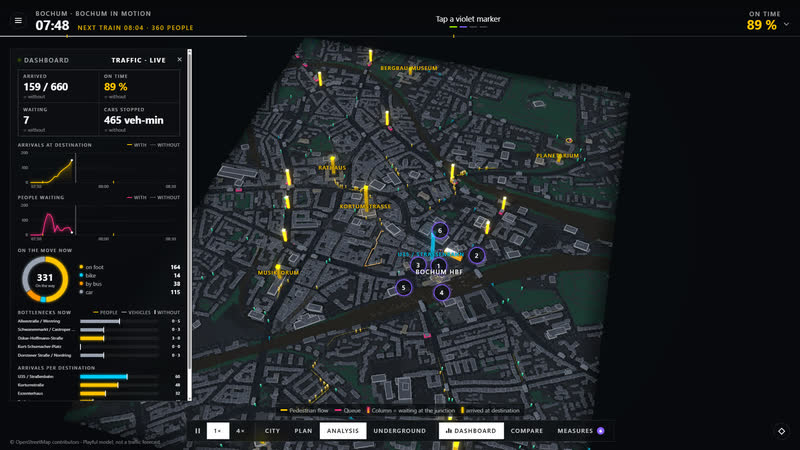
- Click or tap into the city: the place card names the landmark or street and shows live people, cars and noise within 80 m, with a trend line. The four most important landmarks are always labelled. Stations carry U, S or T signs; tap one and the card shows the people waiting and a departure board with up to four trains – direction and minutes, “terminates here” for trains that end there. If there is a shop, restaurant, club or museum there, the card shows its status – doing well, tight, struggling or closed – and its guests compared with a normal day; “Close” and “Open” switch it.
- Tap or click a train: the camera rides along, and the card shows whether it is an underground, suburban, tram or regional train, destination and line, speed and cars, the next stop with its time and how many got off and on. When the train enters a tunnel, the city fades out by itself; trains in tunnels can be reached in the Layers view. A bus takes the camera along the same way: line, passengers and free seats, speed, next stop. Closing the card ends the ride.
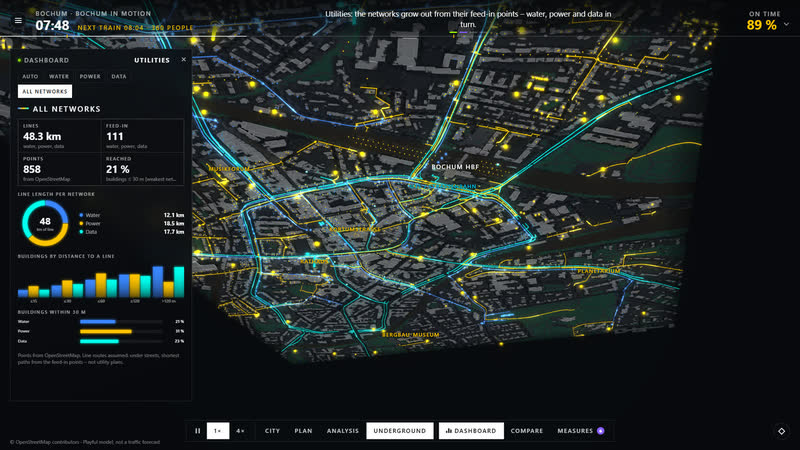
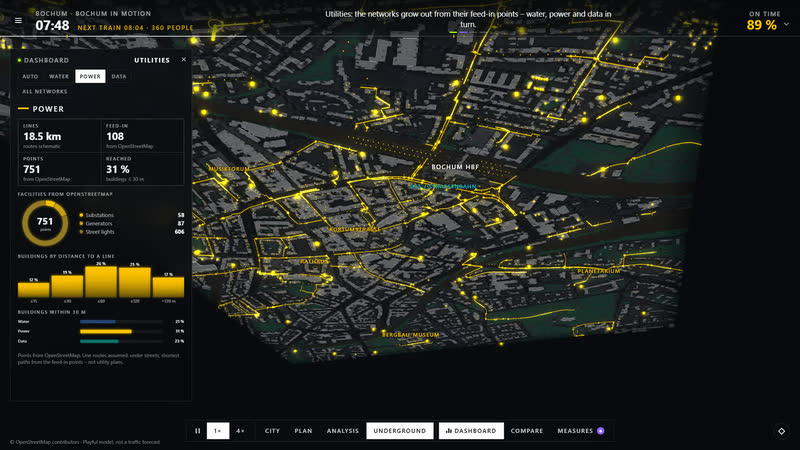
- Four views: City, Plan, Analysis and Layers. Analysis has six lenses: Density (residents per hectare), Jobs (jobs per hectare), Traffic (road load, columns for people waiting at junctions), Crowding (people on pavements, full platforms), Liveability per neighbourhood and Venues by type and status. Hotspots above the city name the strongest places with a figure – “Very dense”, “Jam”, “Platform full”, “Street festival”, “Empty shops” – and a tap takes you to the matching lens. In Layers the city fades out (the “City” slider, 0–100 %), and you switch Flows, Underground, Suburban rail, Water, Power and Data one by one; there the City pulse shows the utilities, such as how many buildings lie within 30 m of a line. Points from OSM, line routes assumed.
- “Compare” (key C) shows the normal day: the same city with the same demand, without your changes. Demand, signal plans and capacities are assumptions, the values are model values, not measurements – results show relationships, not forecasts.
- Self-running for museums: with “Watch” on the title page the city tells its own story – overview, arrival at the main station, a train the camera rides along with, the layers, “What if …” with one slider, say twice as many residents or all clubs closed, followed by the lens that shows it, a bus, the analysis – then on to the next city at another time of day. A band at the bottom explains each scene; “Touch to play” hands the city over to you. At museum stations it starts by itself and returns when nobody has played for a while.
Minimal City
Fifteen real city centres made of blocks, from Bochum to New York: set how many people live and work here, how they get around and how lively the city is – shops, food, clubs, culture, festivals. Underground and suburban trains run below, and the camera rides along. Free in your browser.
cube4tec.de/spiele/minimal-city/