Simulation · From the MINIMAL series by CUBE4ARTS
Minimal Mine
The Ruhr around 1957, built from cubes: beneath every colliery lies a city of levels, shafts and roadways where trains shuttle and miners work; on the surface run washery, heaps and colliery railway. You run it all with six controls. 21 collieries researched, 90 on the map. Free in your browser.
- Free
- No installation
- No sign-up
- Desktop · Touch
Minimal Mine
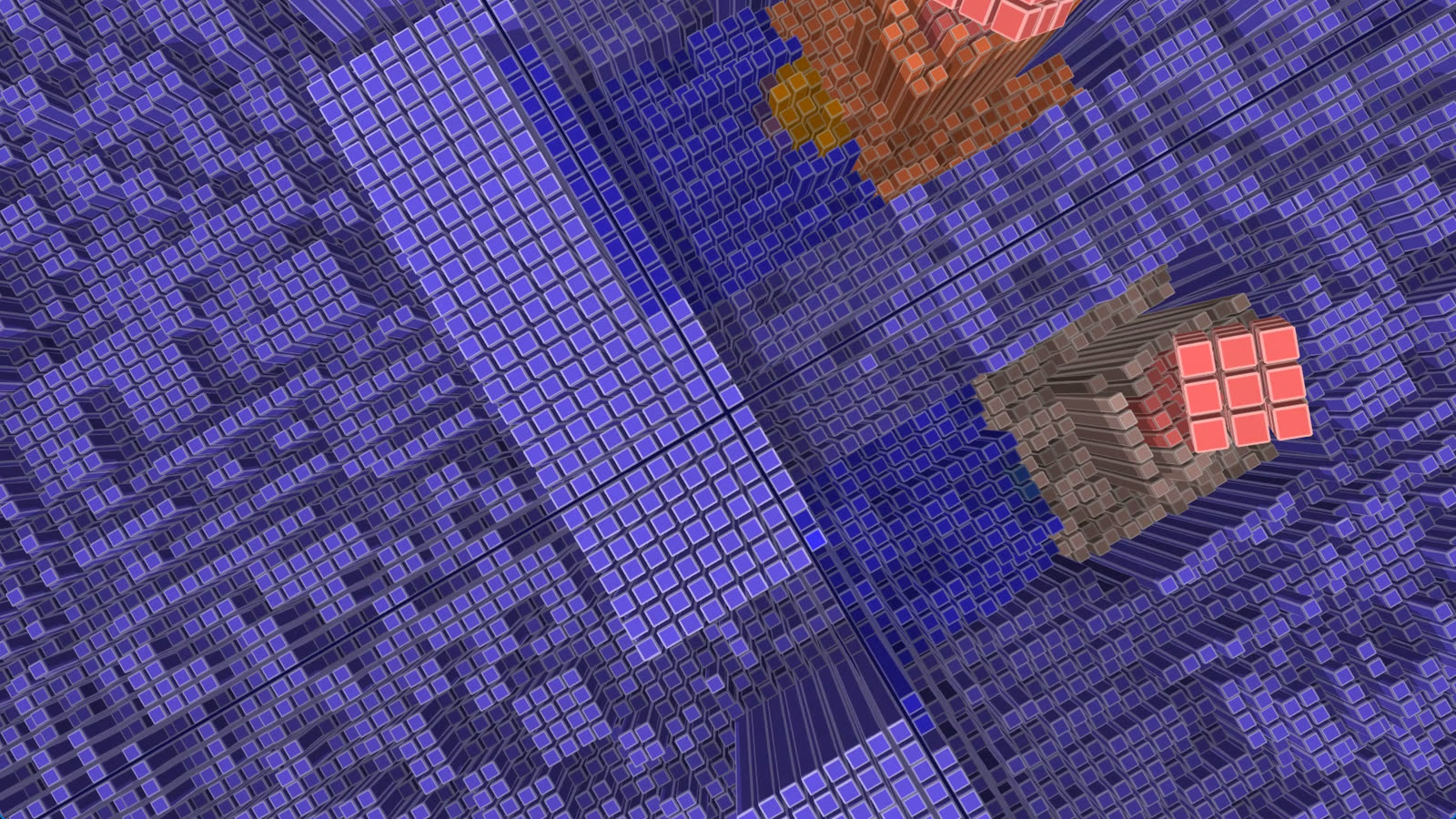
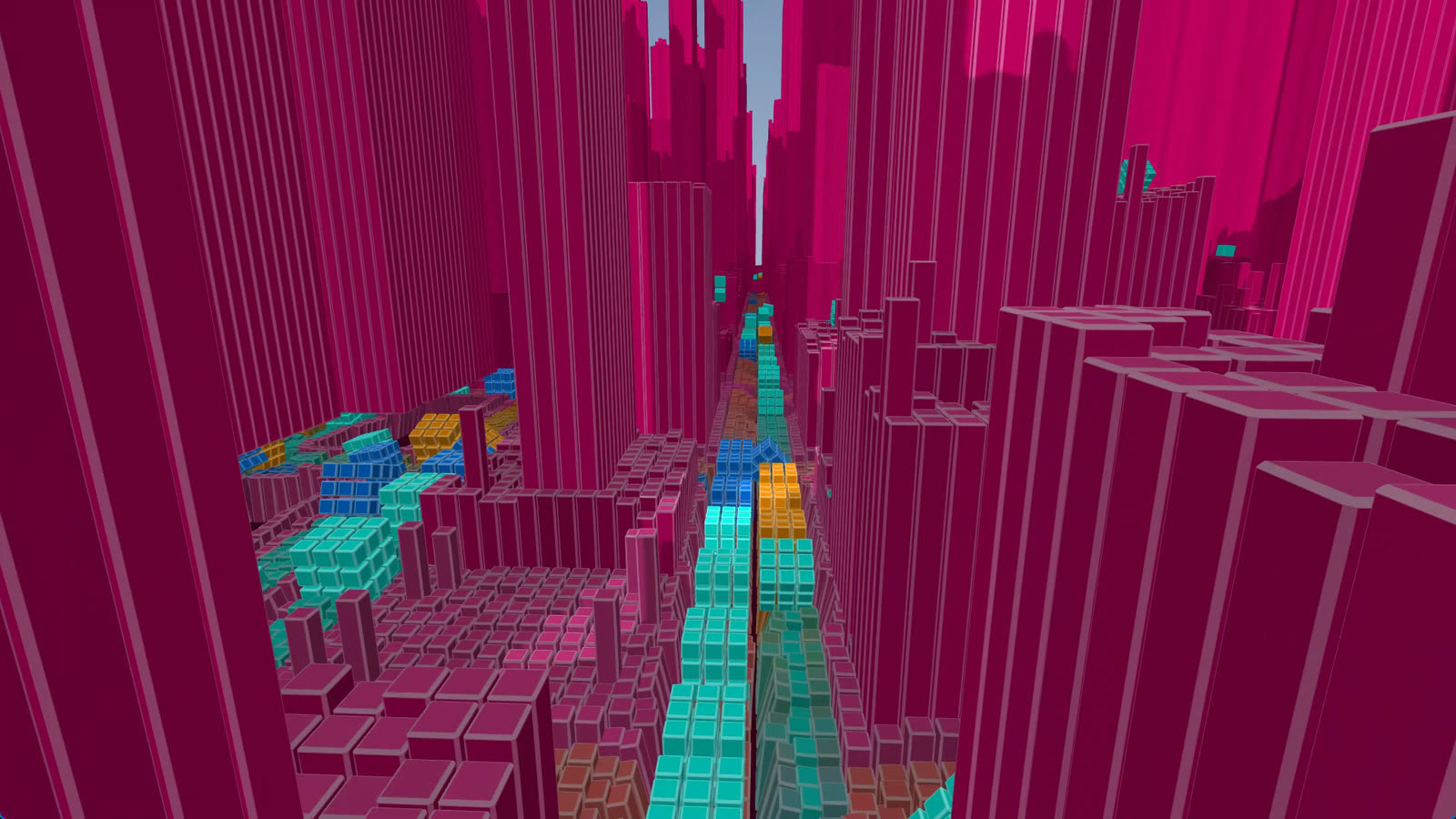
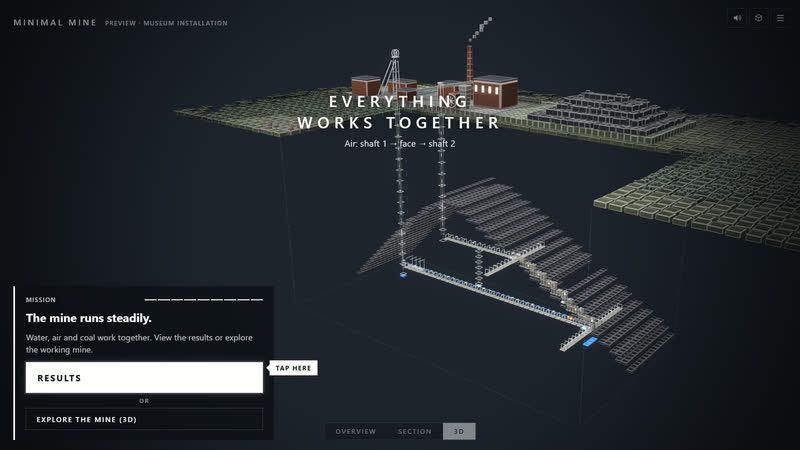
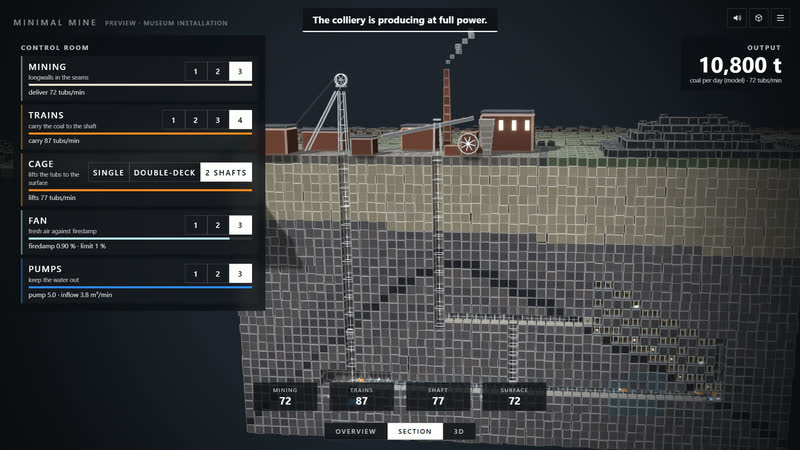
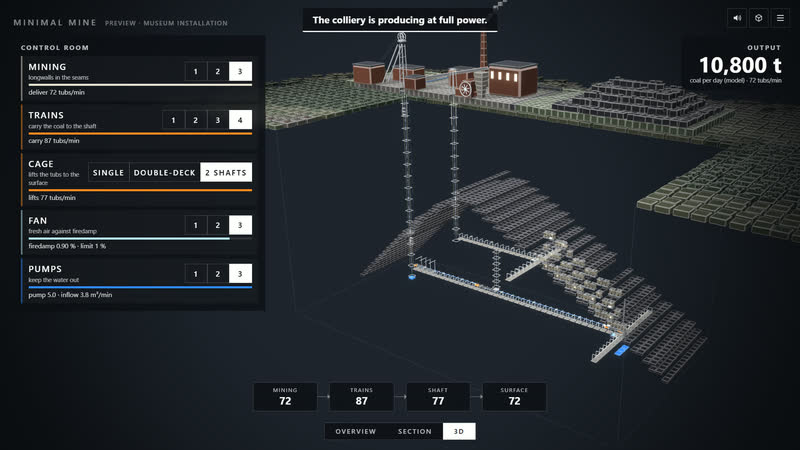
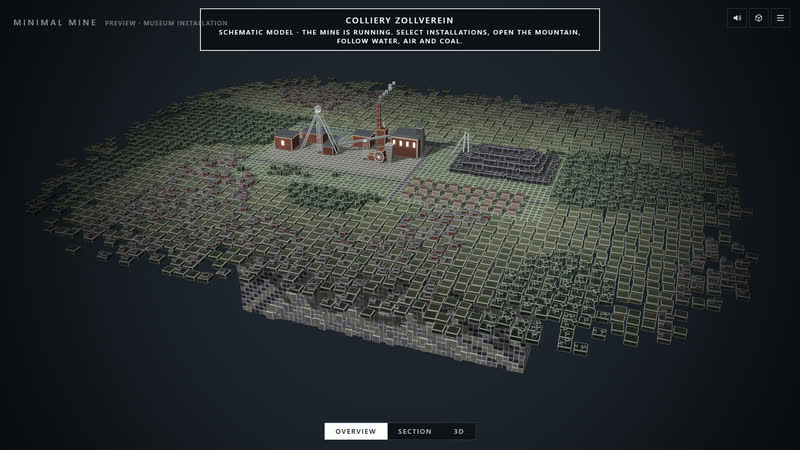
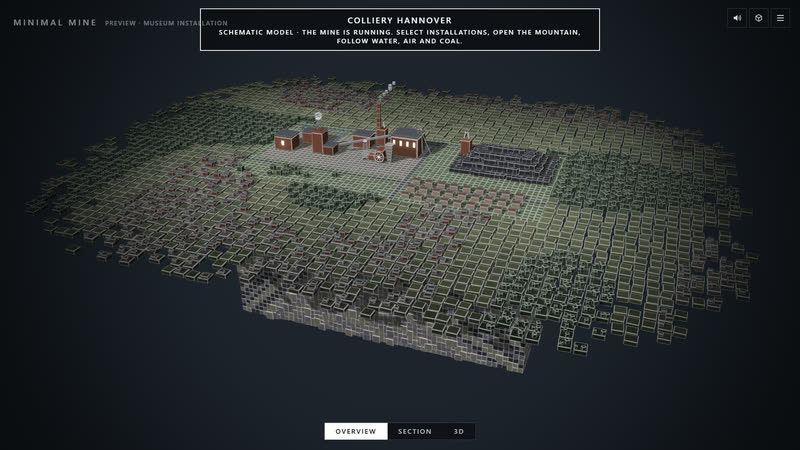
“Colliery at work” opens Zollverein as a city underground, first in “Section”: a corner of the mountain opens level by level. ‹ › leafs through the 21 researched collieries, and no two are alike. Their workings follow the research: levels at their real depths, shafts by purpose, seams lying flat or steep, major faults, central shaft sites and links to neighbouring collieries; above, their surroundings from OpenStreetMap with real heights. Everywhere there is work: cages and skips run, locomotive trains shuttle to the pit bottom, ploughs and belts bring the coal out of the longwalls, miners arrive for the change of shift, fresh air flows in bright, return air leaves warm. In “Surface” the coal carries on through screening and washery onto the heaps, into the colliery railway, the coking plant or harbour. Underground you pick all or just levels, faces, coal, air or water; on the surface and in the section the cubes cast shadows. Six controls – Miners, Longwalls, Trains, Shaft, Ventilation, Pumps – set the operation, calculated from the colliery’s data. Leave the controls alone and the camera tour takes over. Fan, sheaves, trains, longwall, belt and pump sound where they are.
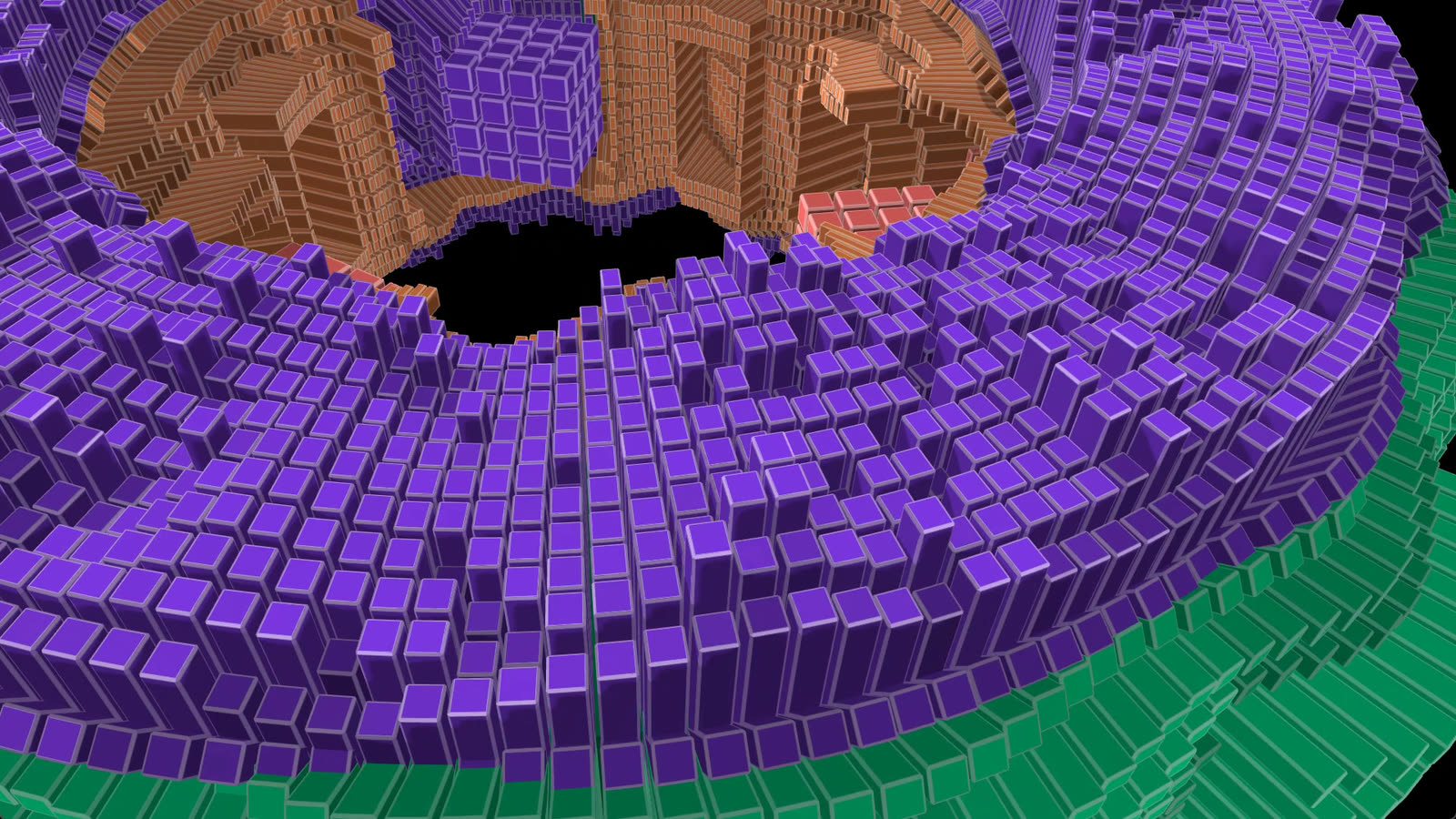
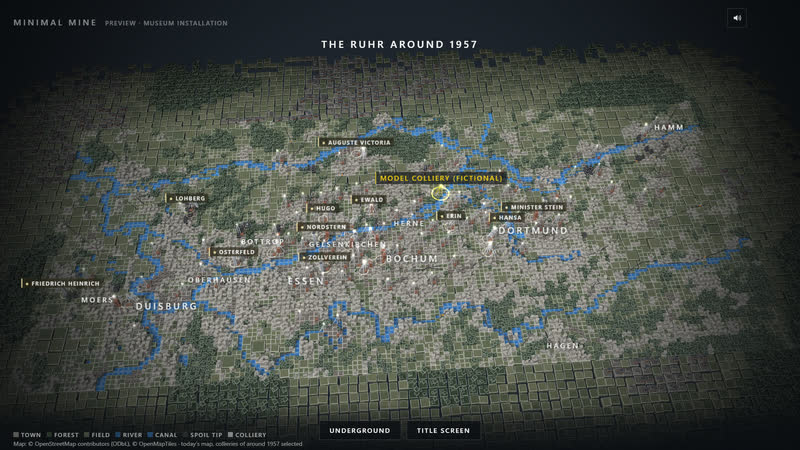
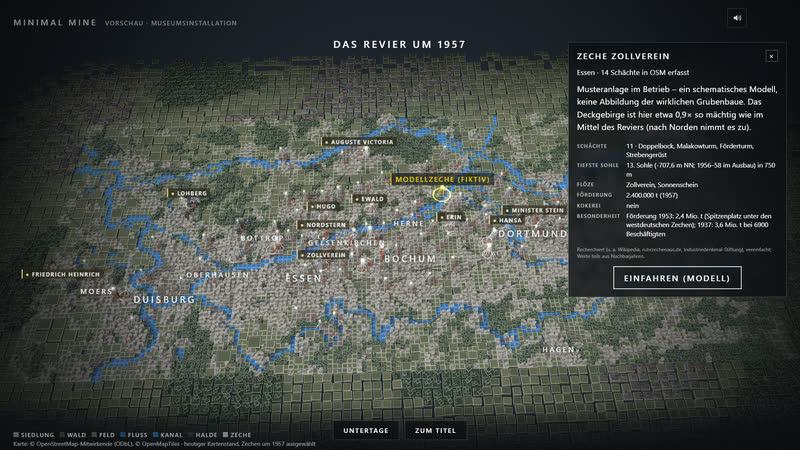
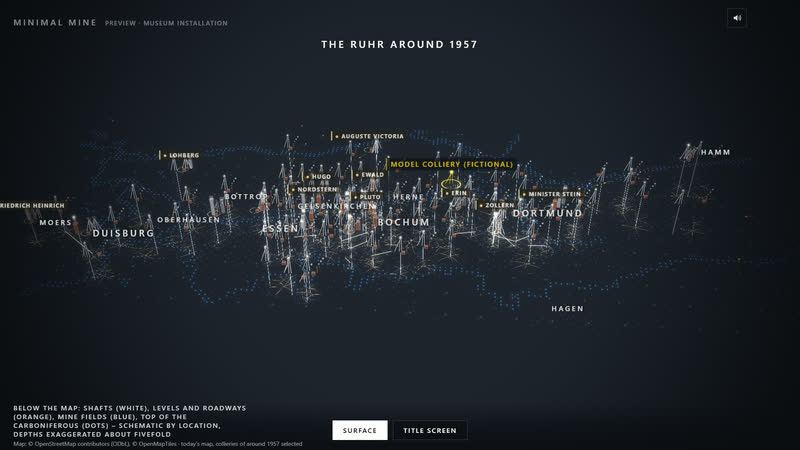
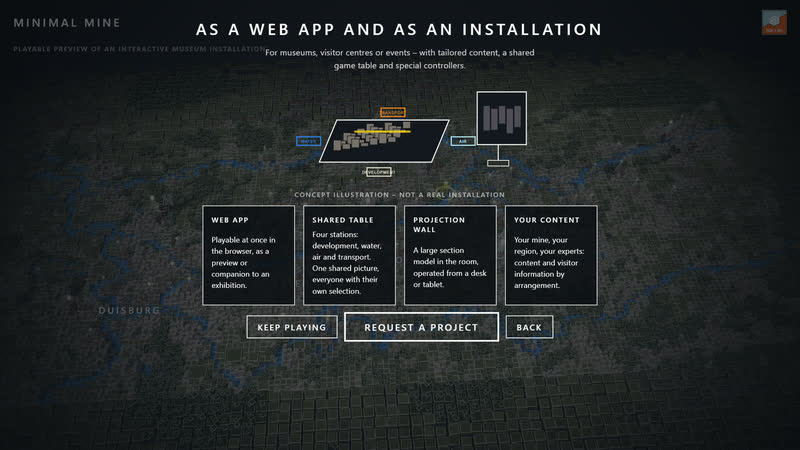
“Explore the Ruhr” opens the map of the Ruhr around 1957, built from OpenStreetMap data: 90 collieries at their shaft locations, each on a dark base with its spoil heap. The 21 researched ones carry a golden edge and a column of light and show their documented headframes – strut frame, double trestle, winding tower or Malakoff tower. Their profile lists shafts, deepest level, seams, output, workforce, coking plant and underground connections, and “Go down” opens its city underground. “Underground” darkens the map and reveals shafts, levels, mine fields and documented connections below. To open up a panel yourself, choose “Task: open a new panel” and work through nine steps in the “Model colliery (fictional)”. Minimal Mine is the playable preview of an interactive museum installation. Under “As an installation” the game shows what it can become for museums, visitor centres or events: a shared game table with four stations, a projection wall, tailored content. You play right in your browser, in German and English: no download, no app, no sign-up.
Trailer
Plays everywhere
-
Desktop
Drag to rotate, right-drag to pan, the wheel zooms; a click sets a stage or picks a colliery or installation. Everything works by keyboard: Tab and Enter select, 1–5 view, 6–0 or E layer, arrows or WASD rotate, + and − zoom, C camera tour, on the map Z next colliery, M sound, Esc menu.
-
Touch
One finger rotates, two fingers zoom and pan, a tap sets a stage or picks a colliery. On a phone the six controls sit at the bottom as a 2 × 3 grid in portrait and as a column on the left in landscape. The top-right button opens the layers; for another colliery use “Back to the map” in the menu.
The task: 9 steps
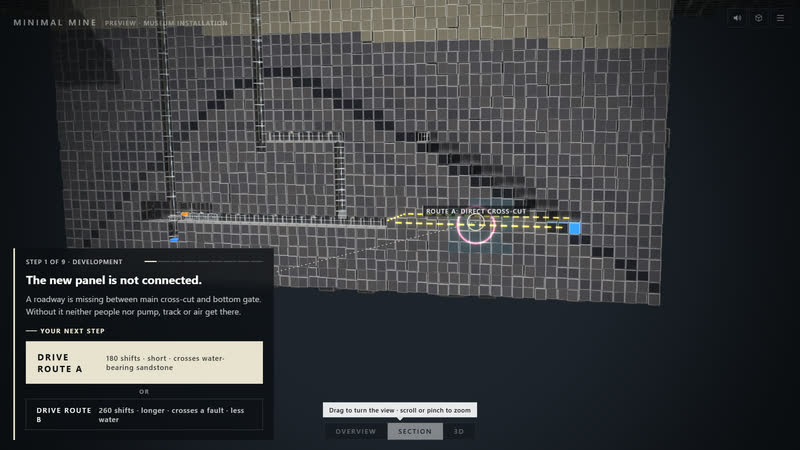
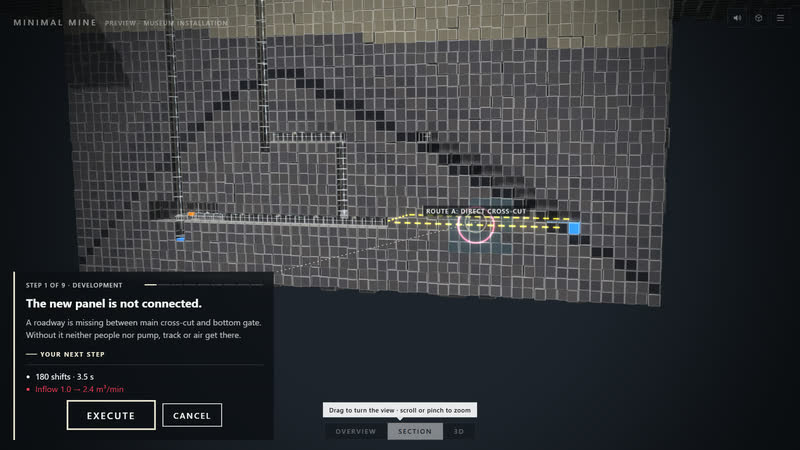
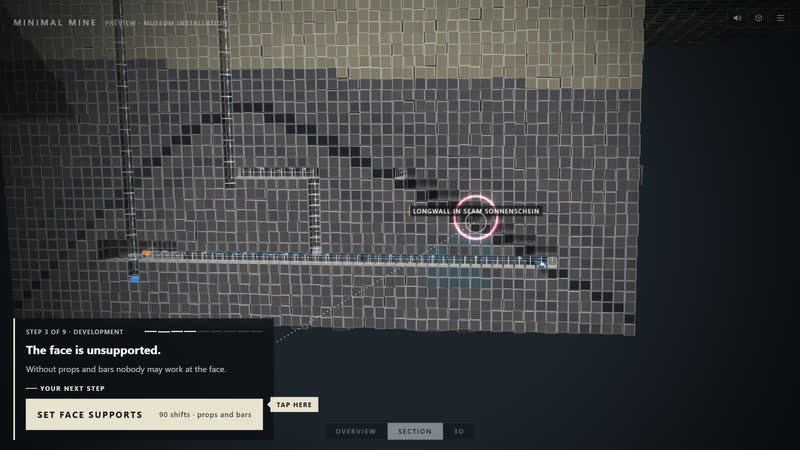
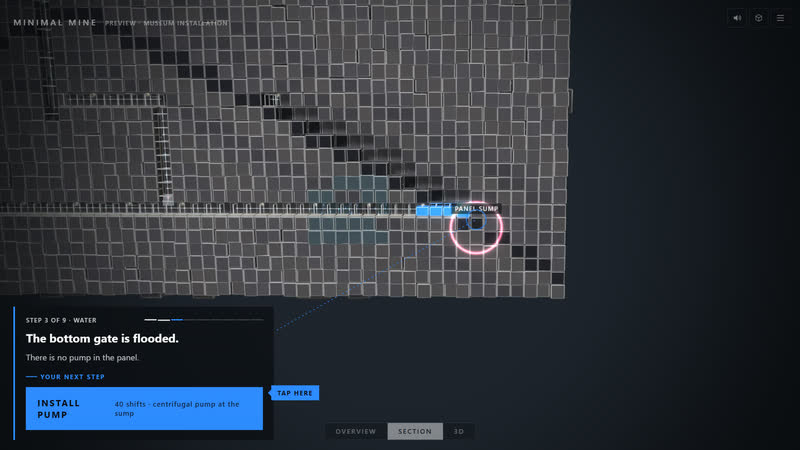
“Task: open a new panel” on the title screen takes you to the model colliery, from the closed mountain to stable operation. In guided mode the task card always shows exactly one next step, with a preview of its effect; “Free (all areas)” is in the settings.
-
01 Study strata and routes
-
02 Drive the access roadway
-
03 Secure the face
-
04 Drain the water
-
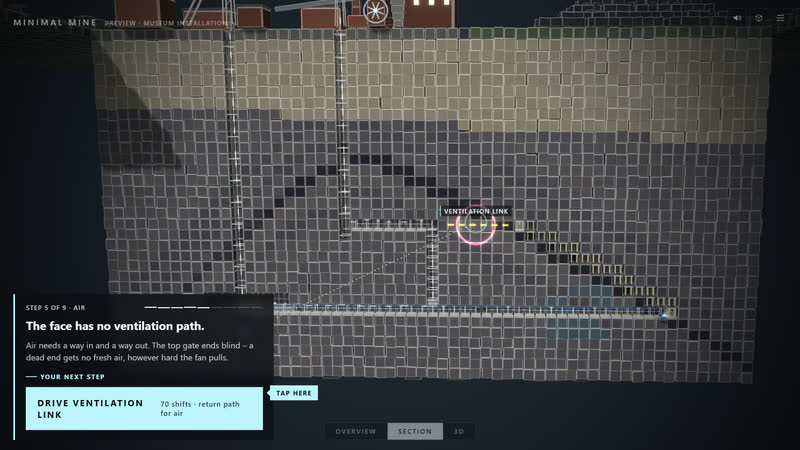
05 Ventilate
-
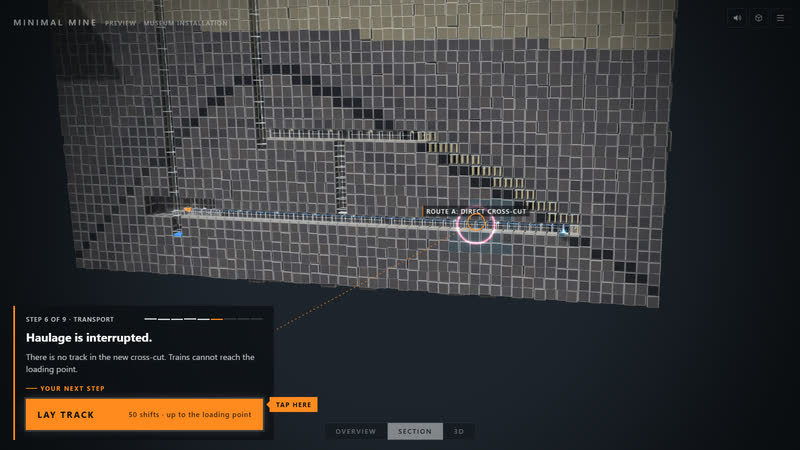
06 Connect transport
-
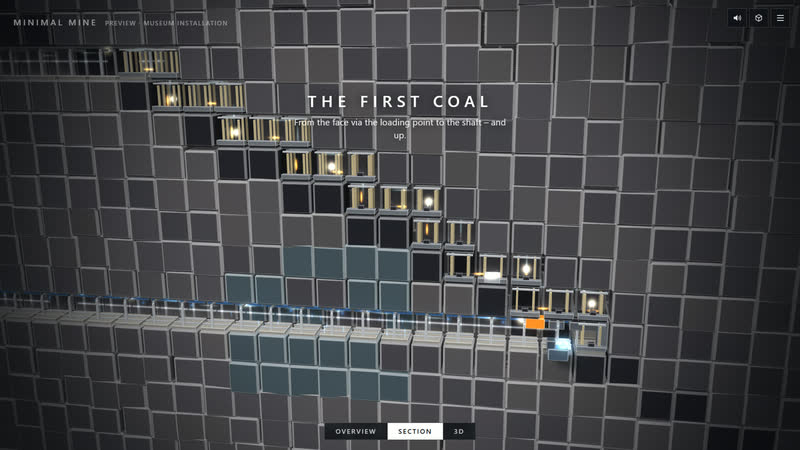
07 Trial run: first coal up
-
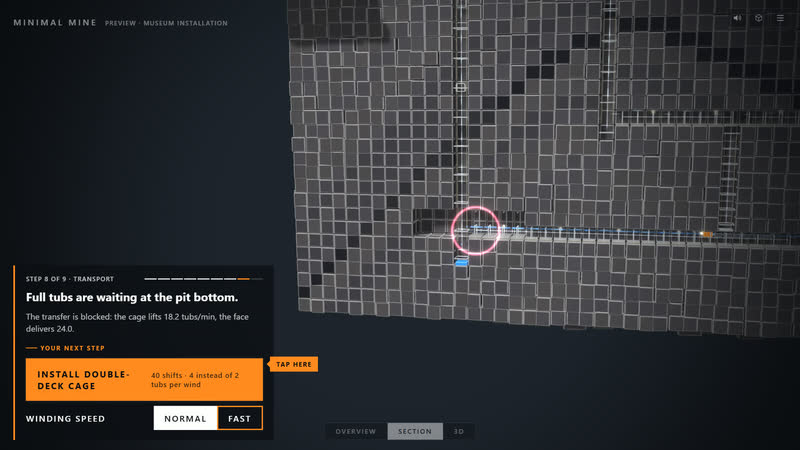
08 Find and fix the bottleneck
-
09 Stable operation
How to play
- “Colliery at work” on the title screen opens Zollverein. At the top left, ‹ › leafs through the 21 researched collieries; “Go down” in a profile on the map opens any of the 90 collieries – those not researched estimated from location and size and marked “partly estimated”. Section, Overview, Mine, Face and Surface switch the view.
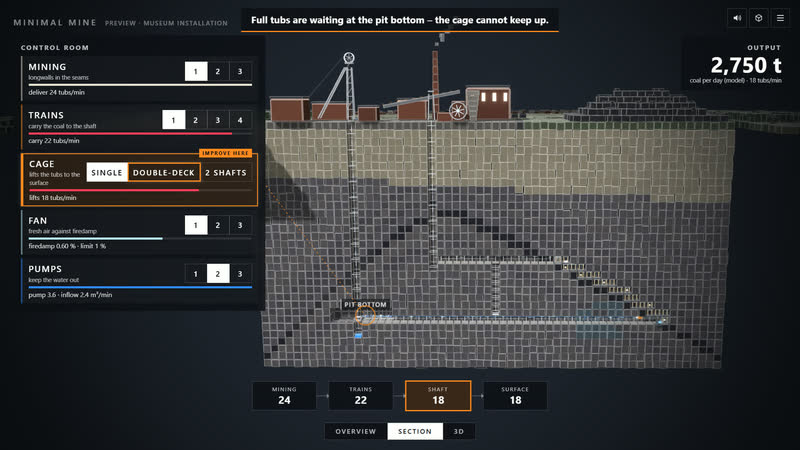
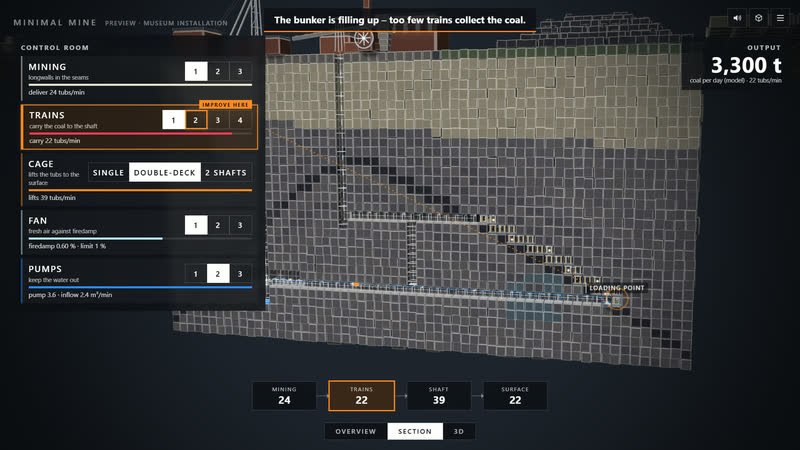
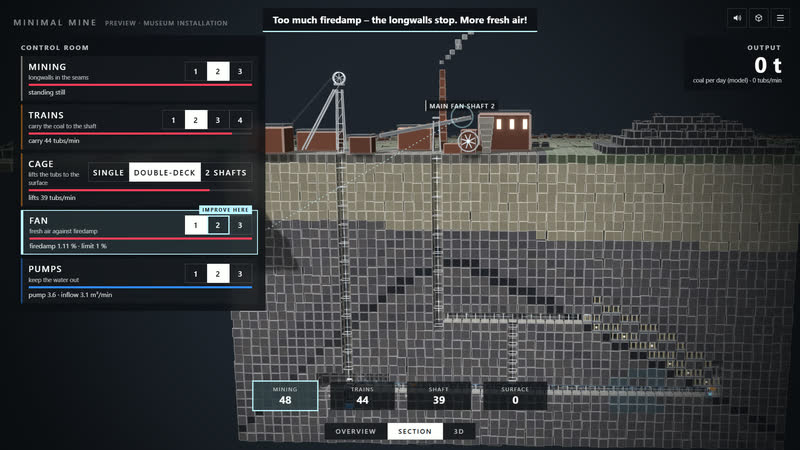
- Six controls at the bottom take effect at once: Miners, Longwalls and Trains in four stages, the Shaft as cage, multi-deck, skip or 2 skips, Ventilation and Pumps in three stages. Each tile shows its value large – such as “2,250 men” or “3 trains” – and below it what lies behind: faces manned, train round trip, where documented with the loco type such as “trolley locos”, wind time, firedamp against the 1 % limit, inflow. The shaft stage the colliery used in 1957 carries a “1957” tag.
- The card at the top right shows “Output · model” in t/day; after each move the change appears briefly as a green or red tag. The curve covers the last 45 seconds with your moves and, as the line “Colliery 1957”, the colliery’s output around 1957. Below come the chain at the face → Trains → Shaft → surface, the products from lump coal to waste rock in t/day and the productivity in t per man-shift.
- The bottleneck lights up: its tile carries “Improve here”, the next stage pulses, and a line leads to the ring in the picture. One sentence at the top sums up the situation – at Zollverein, at first: “Full tubs are waiting at the pit bottom – the shaft cannot keep up.” Supply comes first – air, water, miners – then the path of the coal.
- Everything is calculated from each colliery’s data: the train round trip follows the length of the haulage roads, the wind time the depth of the main haulage level, the inflow the depth; all of it is calibrated to the colliery’s output and workforce – model values. More longwalls without more ventilation push firedamp above 1 %, then longwalls stop and output falls. Documented are depths, shafts with purpose and headframe, main haulage level, connections, the lie of the seams, major faults, central shaft sites, loco types and, where there was one, the underground signal box; labels on site name features, at Zollverein “Central shaft 12: four sites hoist here”. Position in the field and roadway network follow the rules of Ruhr mining.
- “Surface” shows where the coal goes: from the shaft into screening and washery, from there as lump coal, nut coal and fine coal onto the heaps, waste rock onto the spoil heap, loading into the colliery railway – plus coking plant, colliery power station and colliery harbour where the research names them. Removal is designed for the 1957 output: produce more and the heaps grow, produce less and they shrink.
- Above the 21 researched collieries lie their surroundings as mapped today: land use, buildings, roads, railways and water from OpenStreetMap, the relief from real heights in steps. Houses face the way the streets are built, trees stand in woods and parks, roads, railways and rivers run as bands; the colliery site stays flat. The colliery card shows “surroundings © OSM”; heights come from the Mapzen/Tilezen Terrain Tiles.
- “Section” (key 5) shows the mountain as a block; every colliery starts here: first a box opens near the main shaft, level by level down to the main haulage level. Three controls move it – South ↔ North, East ↔ West and Depth, which snaps just below the levels; the card gives the position. The cut faces show overburden and Carboniferous, seams and sandstone as folded bands – anticlines and synclines become arches – and the profiles of the roadways; inside the box the workings lie open. The camera stays outside and follows; the camera tour opens the cut further in one direction – from south to north, along the strike or one level deeper – and then returns.
- Underground you choose the layer: All, Levels, Faces, Coal, Air or Water (keys 6 to 0 or E). The chosen one shows in full, the other networks stay dark for orientation, without lamps or life, and the labels follow the layer. “Coal” puts arrows on the belt, the train route and up the winding shaft, “Air” lets the ventilation routes flow as lines, “Water” shows the rising main, and the pumps light up. With “All”, a move on a control brings its layer forward while the camera shows the effect. On a computer the layers sit as a bar below the views, on a phone behind the button at the top right.
- When nobody steers the camera for eight seconds, the camera tour takes over: on the map it flies over the researched collieries and circles one you tap; at a colliery it keeps a calm distance and follows a coal train to the pit bottom, rides with the cage, moves along the longwall and follows the coal on the belt; on the surface it goes from the headframe via washery and loading station to coking plant or colliery harbour. After each move it goes to where the move takes effect, and below the situation it reads “Effect · …”. Dragging stops it, key C switches it off and on. Depending on the view, roadways lie open in front and run as closed tubes behind; in them loaded trains glow warm and empty ones cool, with cages, the plough and pulses of coal on the belt.
- On the map, tap a colliery. The researched ones carry a golden edge and a column of light (sources incl. Wikipedia, ruhrzechenaus.de, industrial heritage foundation; simplified): shafts with headframe type, deepest level, seams, output, workforce, coking plant and underground connections up to 1957. The profile says whether the workings are researched or estimated from location and size; “Go down” takes you in.
- “Underground” shows, below the darkened map, shafts (white), levels and roadways (orange), mine fields (blue) and the top of the Carboniferous, which dips to the north – schematic by location, depths exaggerated about fivefold. Documented connections between collieries glow bright.
- “Task: open a new panel” leads via the introduction and “Go down” into the model colliery; on the map, “Start mission” in the profile of the “Model colliery (fictional)” starts it too. There you put a new panel in seam Sonnenschein into operation yourself – not yet connected, flooded, with no ventilation path. Route A is short and crosses water-bearing sandstone, route B longer across a fault; the pump only works with a pipe to the main pumping station, and the air needs the ventilation link and the air door in the old staple shaft. Then come face supports, track, belt and loading point.
- The trial run reveals the bottleneck at the pit bottom: a double-deck cage or faster winding brings more tubs up. The results count time, reserves and needless interventions – then a variant awaits: Wet ground or High output.
Minimal Mine
The Ruhr around 1957, built from cubes: beneath every colliery lies a city of levels, shafts and roadways where trains shuttle and miners work; on the surface run washery, heaps and colliery railway. You run it all with six controls. 21 collieries researched, 90 on the map. Free in your browser.
cube4tec.de/spiele/minimal-mine/